WordPress plugin
XT Floating Cart for WooCommerce Premium
XT Floating Cart for WooCommerce Premium keeps a cart icon and item count visible across store pages. Selecting the icon opens a sliding cart where shoppers can review products, change quantities, remove an item or undo its removal, then continue toward checkout. The included free capabilities also cover fast add to cart, a message when a product reaches its maximum quantity, cart and counter positioning, and responsive mobile support.
Help shoppers review and update a cart
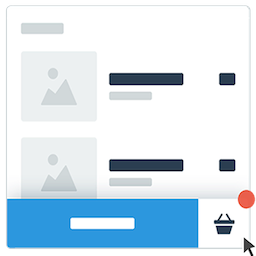
XT Floating Cart for WooCommerce Premium keeps a cart icon and item count visible across store pages. Selecting the icon opens a sliding cart where shoppers can review products, change quantities, remove an item or undo its removal, then continue toward checkout. The included free capabilities also cover fast add to cart, a message when a product reaches its maximum quantity, cart and counter positioning, and responsive mobile support.
Premium includes controls for the cart’s appearance, contents and checkout flow. Use the WordPress Customizer with Live Preview to configure how the cart looks and which actions it includes.
Cart contents and checkout options
- Enable coupons, cart totals, total savings or an Express Checkout Form.
- Choose whether the main button leads to Checkout or View Cart.
- Show suggested related products, cross-sells or upsells.
- Display a Free Shipping Bar and choose whether it shows the subtotal or total.
- Support product variations, bundles and composites, and show product attributes.
- Let shoppers clear or restore the entire cart with one click.
- Add the cart to a menu or enable automatic cart height.
Appearance and display controls
Set the cart’s width and height, apply Google Fonts, and choose custom colors and backgrounds. Select SVG, picture or font icons, with 11 loading spinner animations available. For the Fly To Cart animation, choose Morph or Slide.
Page exclusions let you control where the cart appears, while device visibility options help tailor its display to different screens. You can also set the cart to open when a user moves the mouse over it. RTL support is included.
Keep cart updates in the shopping flow
Premium works with Ajax add to cart on Single Product pages and inside Quick View Modals. Shoppers can add products while staying in their current browsing flow. The add-on also works with XT Quick View, XT Variation Swatches and Woo Variations As Singles.
Configure the cart in WordPress
After installing the add-on, open its settings and use the WordPress Customizer with Live Preview. Set the cart’s position and appearance, then adjust animations, buttons, product suggestions, the shipping bar and visibility rules. Review the result on relevant product, shop and mobile views, and adjust the available options to suit your store layout.
English is the default language, and the plugin is localized and translatable by default. Premium includes automated updates and security patches, along with priority email and Help Center support.