WordPress plugin
Breadcrumb Premium
Breadcrumb Premium builds navigation trails for posts, pages and parent pages, archives, categories, tags, custom taxonomies and post types, author and date views, search pages, and WooCommerce shop and product pages. Visitors can use the trail to see their location within the site.
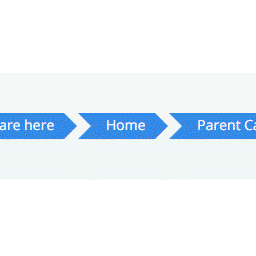
WordPress breadcrumbs where your layout needs them
Breadcrumb Premium builds navigation trails for posts, pages and parent pages, archives, categories, tags, custom taxonomies and post types, author and date views, search pages, and WooCommerce shop and product pages. Visitors can use the trail to see their location within the site.
Place a trail in a content area or layout with the [breadcrumb] shortcode. The extension also works with dynamic breadcrumb show across the listed page types.
Set the wording and appearance
Site administrators can tailor the trail to their content and theme with these controls:
- Add custom prefix text and pick the separator, including whether to hide the final separator.
- Show or hide the “Home” text.
- Limit link text by word count or character count, then set custom ending text.
- Set link font size and adjust the breadcrumb container’s margin and padding.
- Choose colors for link text, separators, and the link background.
Choose where breadcrumbs appear
Premium visibility settings can hide trails on the front page, home page, blog, author, search, year, month, date, category, and tag views. You can also hide breadcrumbs by post type or individual post ID, including IDs for custom post types.
Adapt the output and language
Developers can use filter and action hooks to rewrite or override breadcrumb components without editing the plugin code. The plugin is translation-ready and includes a default English translation file; you can add another translation when needed.
Install, configure, and review
Install and activate the plugin, then open Breadcrumb in the WordPress dashboard to configure the display. Review archive, post, taxonomy, and WooCommerce pages before adding page-specific visibility rules or custom styling.